01
Counted the way X counts
Links count as 23 and emoji as 2, against 280 characters, or 25,000 on an X Premium account.
X and Twitter scheduling
X's composer can schedule posts for one account. Cadencz holds your tweets and threads, checks them against X's own count, and publishes them at the time you picked, next to your LinkedIn, Threads and Bluesky posts.
Links count as 23 and emoji as 2, against 280 characters, or 25,000 on an X Premium account.
Images are shrunk to fit X's 5 MB limit, and your alt text goes with each one.
You approve Cadencz on X. Your X password never reaches Cadencz.
15 X posts a month. A post with a link counts as 13 of them.
You do not need another tool to schedule tweets. The calendar icon in X's composer opens a date picker, and scheduled posts wait under Scheduled Posts, not in your drafts. How to schedule tweets on X has the steps and shows where that queue hides.
For one account and a few posts a week, that is all you need. It stops working when you run more than one account, because there is no view across accounts. It also stops when the same idea has to go to LinkedIn or Bluesky, or when someone else has to see the post before it goes out, because X has no approval step. Those are the cases where a Twitter post scheduler outside X is worth paying attention to.
Cadencz connects through X's own sign-in (OAuth 2.0) and posts through the X API as you. X access tokens last about two hours, so Cadencz refreshes them before a scheduled post goes out. If X refuses the refresh, the channel asks you to reconnect.
Text is counted the way X counts it. Every link is 23 characters, however long the URL is, and emoji, CJK characters and most symbols count as 2. The limit is 280, or 25,000 when the connected account has an X Premium subscription. Cadencz checks for Premium when you connect and again every 24 hours. A draft over the limit cannot be saved or scheduled, and it is measured again just before sending, so a long post does not sit in the queue waiting to fail. The X character limit guide explains the counting rules in full.
You can attach up to 4 images or GIFs. An image over X's 5 MB limit is shrunk to fit, and a GIF over 15 MB is refused, not recompressed. The alt text you write is sent with each image. Video does not publish to X from Cadencz, so post video from the X app.
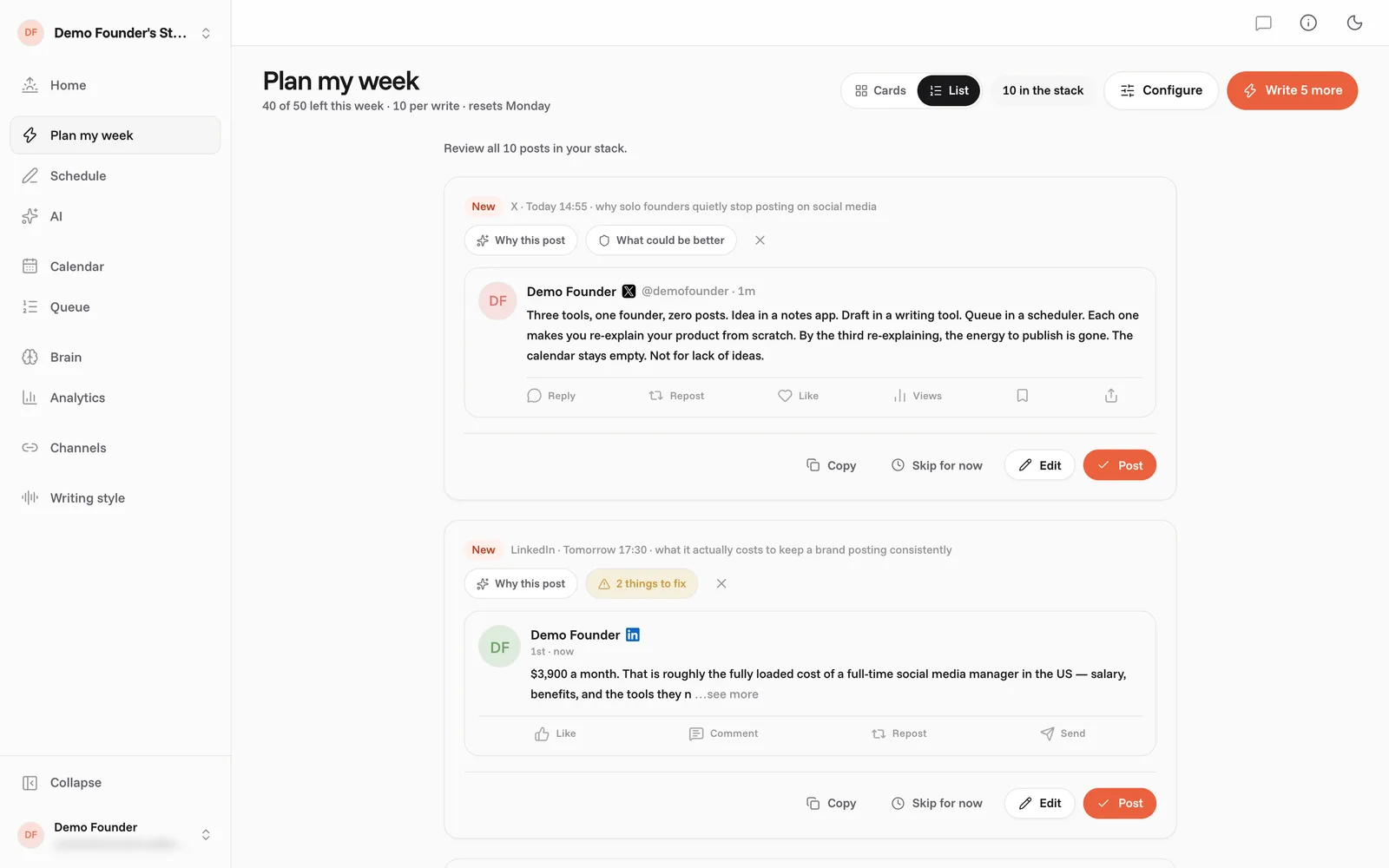
When an idea in Plan my week needs several connected steps, Cadencz writes it as a thread. It drafts the whole piece, splits it at sentence boundaries into parts that fit X's count, and numbers them 1/4, 2/4 and so on. Each part is posted as a reply to the one before it, 30 seconds apart. A part is not sent until the one before it is live on X, so a thread cannot go out in the wrong order. Images go on the first part. There is no separate thread editor.
Cadencz does not quote posts, reply to other people's posts, retweet, send DMs or create polls. Do those in the X app.
You can schedule up to 365 days ahead, in your workspace's timezone. If X returns a temporary error, Cadencz retries with longer gaps between tries, up to 6 attempts. If the post still fails, the workspace owner gets an email, and the post stays in Upcoming with its copy and X's error so you can reschedule it or publish it now.
X bills for every post written through its API, and a post containing a link costs 13 times as much as a plain one. Cadencz turns that into a monthly X allowance instead of a surcharge. A plain post uses 1, and a post with a link uses 13. Posts already published this month and posts scheduled for later this month both count, and Cadencz emails you when you get close to the limit.
On Free, X can be one of your 2 connected accounts. 15 a month is 15 plain posts, or one link post and two plain ones. Scheduling on your other channels stays unlimited. The paid plans raise both the X account count and the monthly allowance:
Cadencz drafts X posts from the product context it reads from your website. The X version is short, with the hook in the first line and one idea per post, and it leads with the idea instead of the link. Every post the agents write waits for your approval before it can be scheduled, and you can edit it first.
When you connect X, you can let Cadencz read up to 100 of your recent original posts, not replies or retweets, so drafts start closer to how you already write. Paid plans also read likes, reposts, replies and impressions back from X for the posts Cadencz published. Free does not read X numbers. For what to post in the first place, read the X content strategy for founders.
Questions
Yes. Free connects 2 accounts, and one of them can be an X account with 15 X posts a month. A plain post uses 1 of the 15, and a post with a link uses 13.
Yes, when Plan my week writes an idea as a thread. The parts are numbered, each is posted as a reply to the one before it, 30 seconds apart, and no part goes out before the previous one is live.
No. Cadencz publishes text, up to 4 images and GIFs to X. Video has to be posted from the X app.
Yes. If the connected account has an X Premium subscription, the limit rises from 280 to 25,000 characters. Cadencz checks the subscription when you connect and every 24 hours after that.
Yes. Each destination keeps its own draft, so the X version can be a single short post while the LinkedIn one explains the decision in full.
Connect your X account on the free plan and schedule the first one.
Start scheduling free