01
1. Collect source material
Write down shipped work and customer questions the day they happen.
Outcome 02A five-step content workflow
The process below is tool-agnostic, and a spreadsheet and a calendar will run it. What matters is that the five steps stay separate, because collapsing them is what makes posting stop.
Each step leaves something saved, so a busy Tuesday does not end the week.
What changes after the switch
Write down shipped work and customer questions the day they happen.
Choose angles in one sitting, before daily work takes the decision away from you.
One idea, a separate version per platform, written for that platform's shape.
Judge the week in a different sitting from the one you wrote it in.
Inconsistent posting gets blamed on discipline. What usually fails is a process where every step happens in one sitting: find an idea, pick the angle, write it, adapt it for four platforms and schedule it, from a blank page, usually late.
That works on a calm day. When a release slips or a customer escalates, a five-part task with nothing saved cannot be picked up halfway, so the whole thing gets dropped, and the next post goes out three weeks later.
A workflow that survives a busy week has one property: each step leaves something saved that the next step can start from cold. You can stop on Tuesday and carry on on Thursday without redoing anything.
A blank page on Monday is a sourcing problem. With nothing captured, you write generic advice, because generic advice is all there is to hand.
Keep one running list and add to it when something happens: a feature shipped, a support question asked twice, a decision reversed, a number that surprised you, an objection a prospect raised on a sales call. Ten seconds each, no formatting. The only rule is that everything on it actually happened.
A week of specifics beats a month of frameworks. Nobody needs another post about consistency. Plenty of people would read why you removed a feature.
Planning is selection: of the fifteen things on the list, which four are worth saying, in what order, and from which account. Doing it while you write is why both take so long.
Plan before the week starts, when you can still see it whole. A Sunday plan is four decisions made once. A plan made each morning is one decision made daily under time pressure, five times.
Give each item a one-line angle. “Pricing” is a topic. “Why we moved X off the free plan and what it cost us” is an angle, and it is half written already. If you post from both a personal and a company account, decide here which one each angle belongs to; founder brand vs company brand covers which account to grow first.
This is where most workflows turn into cross-posting. One caption gets pasted everywhere and does well nowhere, because the platforms reward different things. A thread that works on X is a wall of text on LinkedIn. A post that lands on LinkedIn reads as corporate on Bluesky. X and Bluesky also cap a post at 280 characters and 300 graphemes, while LinkedIn allows 3,000.
Keep the claim identical and change what each platform cares about: the opening line, the length, the formatting, and what you want the reader to do next.
Write the version for your strongest channel first, at full length, then cut it down for the others. Shortening a good long draft is quick. Padding out a thin short one is slow.
The draft that felt sharp while you wrote it is the one you are worst placed to judge, because you are still inside the sentence. Review later, with the whole week in front of you.
Ask two things, in this order: is it still true, and is it worth someone's time. Truth first, because fluent copy hides stale facts well. An old price, or a feature described the way it worked two releases ago, reads perfectly and is still wrong.
Write down why you cut a post. When the same reason comes up three weeks running, fix it at the source, in the notes or the product description you draft from.
Put the approved week on a calendar in one go, and assume delivery will sometimes break. Tokens expire, platforms have outages, images get rejected, rate limits arrive at the wrong minute.
A failed post becomes a missed month when nobody notices it. Whatever you schedule with, make sure a failure is visible and the post survives it, so recovering means sending it again, not rewriting it. Social media automation goes further into which parts of publishing are safe to automate.
The five steps work with a notes app, a document and any scheduler, and if that is already working for you, keep it.
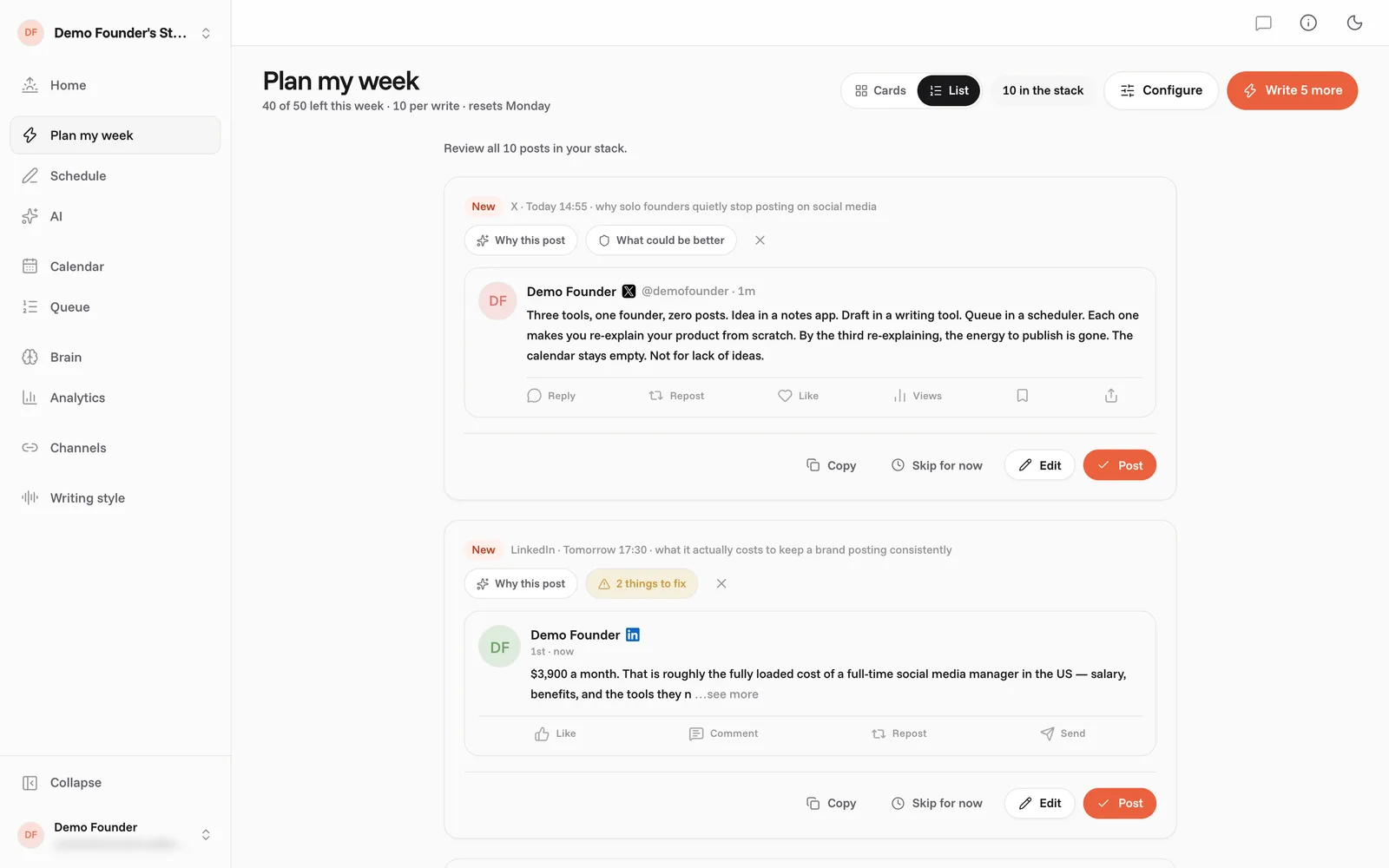
Cadencz takes over the tedious middle. It reads your site once and keeps what you sell, to whom, and how you write, so step 3 does not start from an empty prompt each week. The Website Brain is your step 1 list, Plan My Week is step 2, and it drafts each post separately for 9 of its 9 live channels (X, LinkedIn, Bluesky, Threads, Mastodon, Telegram, Discord, Slack, and dev.to).
Step 4 stays yours: each post waits for you to approve, edit or delete it, one at a time. Step 5 is the queue, where a failed post keeps its copy and the platform's error so you can send it again. The free plan runs the whole loop, so you can judge the drafts before paying.
Questions
Once source material is being captured continuously, planning and reviewing a week is realistically one focused sitting rather than a daily task. The step that expands without limit is drafting from scratch on posting day, which is the step worth removing first.
No. The five steps run on a notes app, a document and any scheduler. A tool helps with the repetitive middle, keeping product context so drafting does not restart from nothing each week.
A calendar is the output of step five: what publishes when. The workflow is everything that produces it. A calendar with no workflow behind it is a list of empty slots that quietly stops being filled.
Monthly batching front-loads the effort and ages badly, because the specifics that make posts worth reading are usually days old. A week is long enough to be efficient and short enough that the source material is still current.
It keeps your product context between weeks, so drafting does not begin with explaining your product again, and the drafts, the calendar and the delivery status live in one place.
Nothing publishes automatically. Every draft waits for your review, and you choose whether to schedule it or publish it now.
Yes. Drafts remain editable through review and scheduling, so the week can change when the product or priorities change.
Build the week in one focused session, then get back to product, customers, and growth.
Get my hours back