01
One calendar, every channel
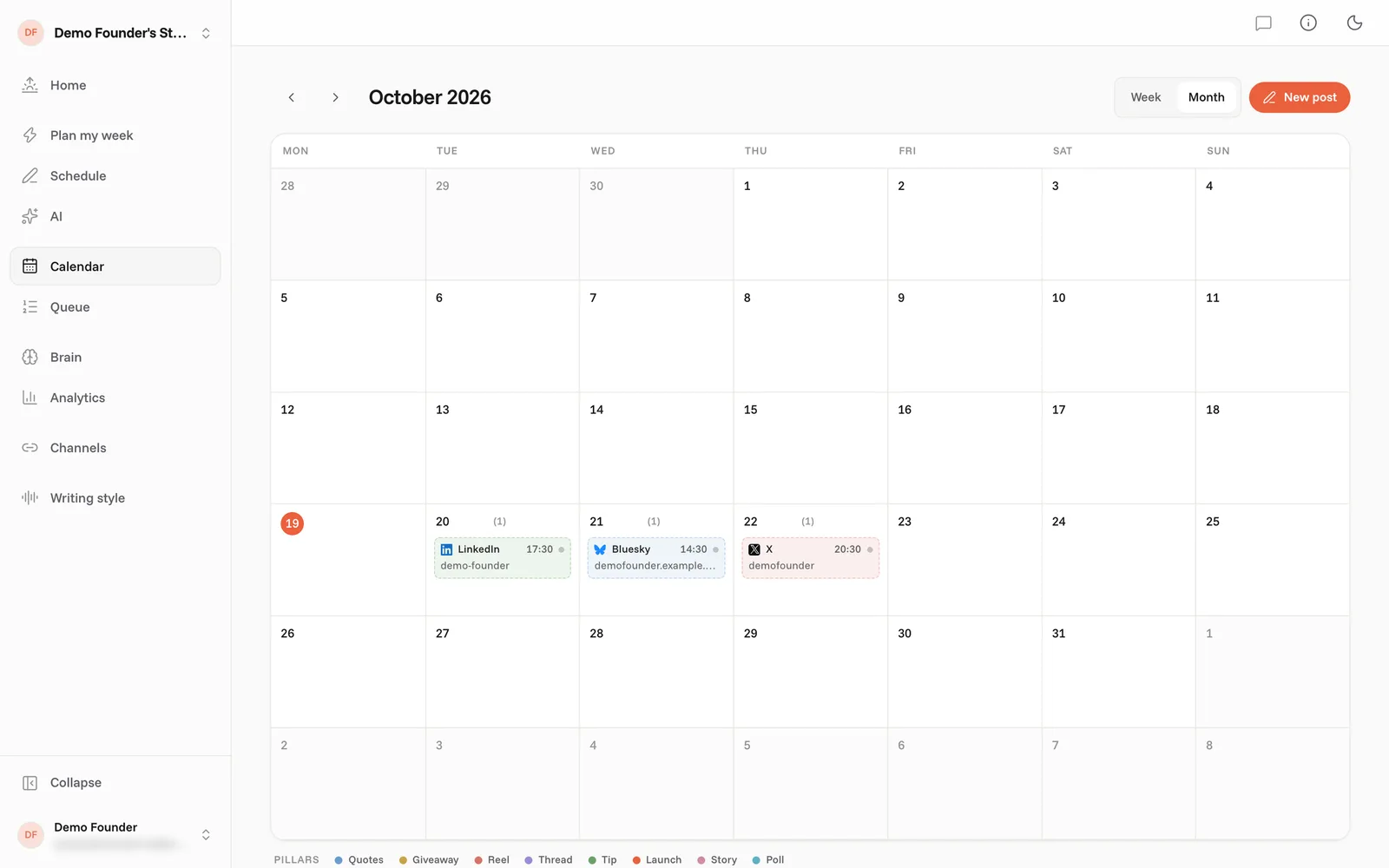
The whole week in one grid.
Outcome 03Consistency without the scramble
Approve the week once, then publish across 9 channels while you build. This page is about delivery; how the drafts get written is on the AI scheduler page.
Show up regularly with a recognizable point of view.
What changes after the switch
The whole week in one grid.
Each channel keeps its own copy, images and preview.
Publish approved content across 9 live channels on the clock you actually work in.
The copy stays beside the error. Fix the cause and publish it again.
Scheduling usually breaks in the gap between tools. The idea is in notes, the draft is in a document, the schedule is in a scheduler, and the only thing joining them is someone remembering. A busy fortnight and the whole arrangement stops.
In Cadencz each calendar entry is the post: its copy, its channel, its images, whether you have approved it, and what happened when it was sent. Opening the week shows what is actually going out.
That matters most on the days you are not thinking about marketing. An approved queue keeps publishing while you ship features, and the worst case is a quiet week.
A post that reads well on LinkedIn is usually the wrong shape for X, which caps a post at 280 characters against LinkedIn's 3,000. Cadencz keeps one source idea attached to a separate draft per channel. The agents write natively for 9 of the 9 live channels (X, LinkedIn, Bluesky, Threads, Mastodon, Telegram, Discord, Slack, and dev.to); anything else carries copy you write.
Each draft can be edited until it is queued for sending, and changing the LinkedIn version leaves the X version alone. Length and images are checked against each channel's own limits, so a post the platform would refuse is caught while you can still fix it.
Most of scheduling is getting unglamorous details right. A queue that reads your times as UTC will send a 9am post at 2am to an empty feed, and you will blame the post.
Cadencz schedules in the timezone set on your workspace, shows every time in that timezone, and keeps the publish result on the post afterwards, so you can see a gap in the feed coming.
Posts fail for ordinary reasons: an expired login, a platform outage, a rejected image, a rate limit. Cadencz retries temporary errors up to 6 times, starting 15 minutes later and waiting up to 4 hours between later attempts. An expired connection fails at once, the channel shows Reconnect, and the workspace owner gets an email.
A failed post stays in Upcoming with its copy, its images and the platform's error. Reconnect the channel or swap the image, then reschedule it or press Publish now. The rest of the queue keeps publishing while you deal with the one that broke.
If you already write every post yourself, a plain scheduler does the job, and the comparison of social media scheduling tools is a better place to start than this page. Cadencz makes sense when writing is the slow part.
Teams leaving a larger suite usually ask about price per account and seats; the guides on a Hootsuite alternative for small business and a SocialBee alternative for founders cover that move, and the list of Buffer alternatives with AI writing compares tools that draft as well as schedule.
Scheduling will not build an audience on its own. If nobody is reading yet, sending thin posts on time produces silence on time. Cadencz is for the founder who has things worth saying, from shipped work to customer conversations, and keeps failing to post them because the mechanics get in the way.
Questions
Cadencz publishes to 9 live channels: Bluesky, X, LinkedIn, Threads, Mastodon, Telegram, Discord, Slack, and dev.to. Facebook and Reddit are not currently offered, and WordPress is not live yet.
Yes. The agents write separate native drafts for 9 channels: X, LinkedIn, Bluesky, Threads, Mastodon, Telegram, Discord, Slack, and dev.to. Slack and dev.to are included in AI drafting as well as scheduled publishing.
Yes. Each channel keeps its own draft and preview, editable until it is queued for sending.
Temporary errors are retried up to 6 times. If the post still fails, it stays in Upcoming with its copy, images and the platform’s error, and you can reschedule it or publish it now. The rest of the queue keeps publishing.
No. Every post the agents write waits for your approval before it can be scheduled.
The timezone set on your workspace. Scheduled times are shown in that timezone everywhere they appear, so the time you pick is the time it publishes.
No. Scheduling is unlimited on every plan, Free included. What is metered is AI generation and publishing to X, which cost money per post.
No. Reach depends on the audience and the platform. Posting on schedule is the part you control.
Create and approve the week once. Let Cadencz keep your brand showing up while you build.
Build my posting rhythm